 New items
  Sales
Sales  Camera equipment
  Camera packages
  Photography equipment
  Lenses
  Lighting
  Lighting - Grip
  Light control
  Grip equipement
  Filters
  Batteries
  Media / Storage
  Sound & Audio
  Effects / SFX
  Live Production & Streaming
  Monitors / viewfinders / recorders
  Production gear
  Consumables / FOR SALE
 How to invoice an order to a company
When creating an order, you can add an unlimited number of companies you invoice to to your account. You do not need to create a separate user account for each company or production.
In Step 4 – Order details, select “I want to invoice the order to a company”.
You can then:
- select any company you have invoiced to in the past, or
- enter new billing details.
Previously used companies will automatically be available for selection when creating future orders.
If the company already exists in our system, the order will be assigned to that company. The company’s administrators and, where applicable, financial contacts will also have access to the order. Financial contacts can be edited in the company settings.
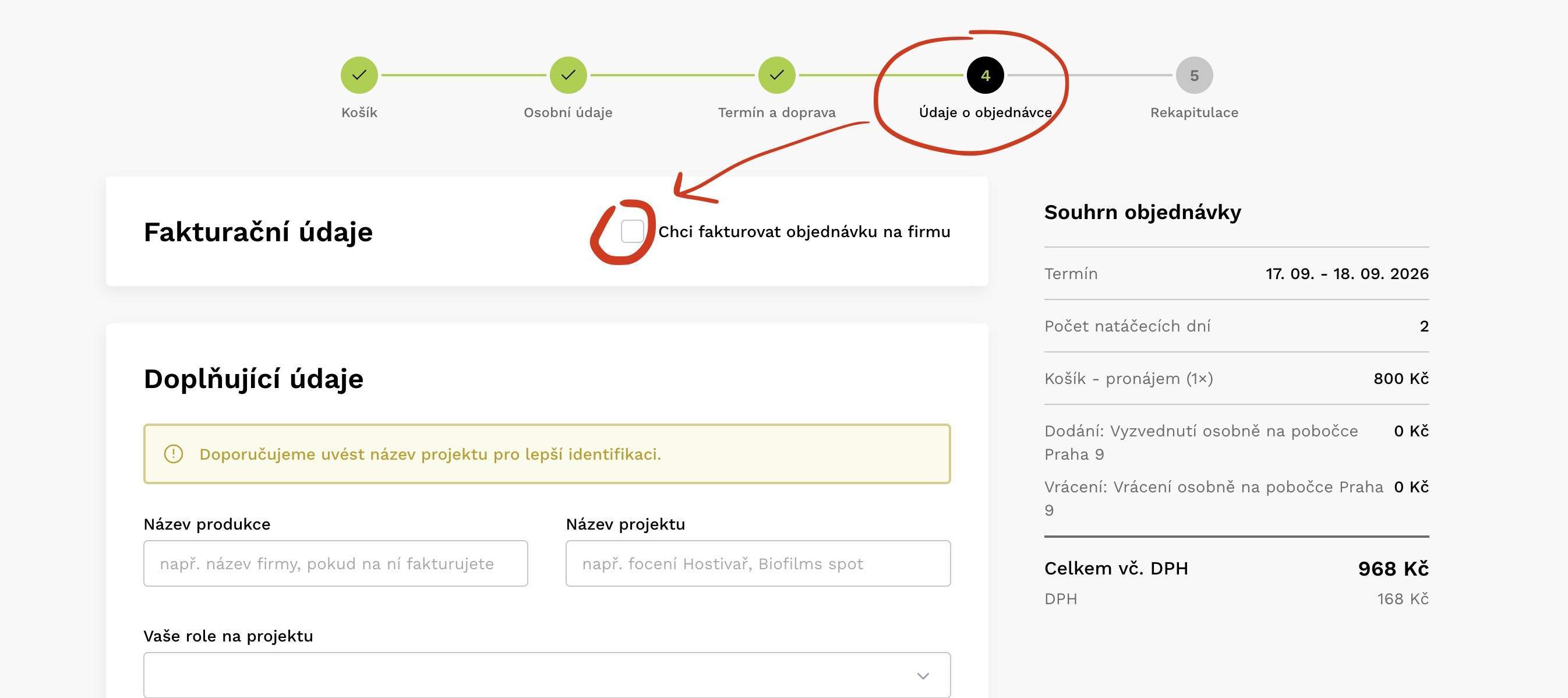
Example of invoicing an order to a company